


Build a Review Process Customers Can Use
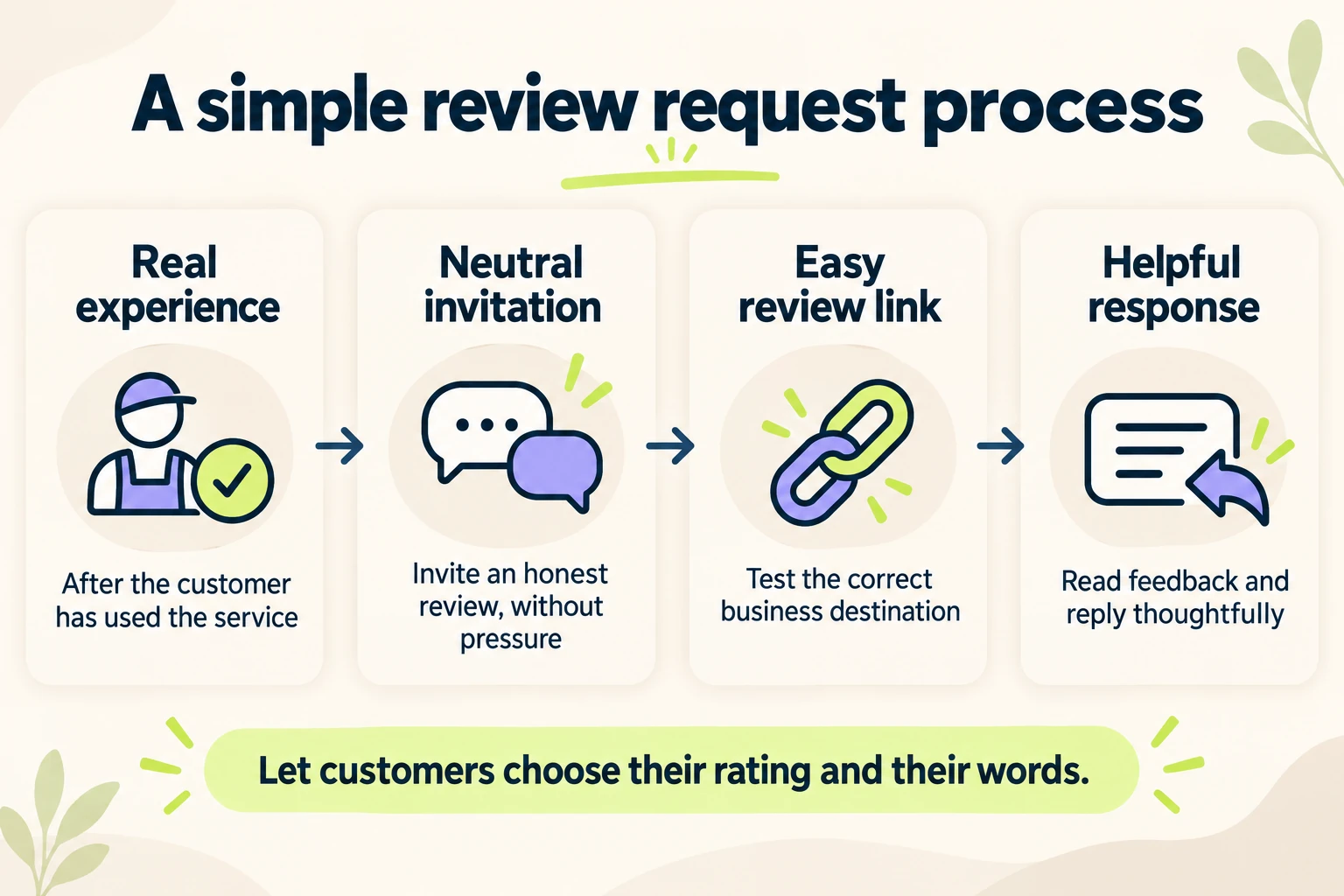
To get more Google reviews, make an honest review easy to leave after a real customer experience. Choose a suitable point in the customer journey, send a short optional invitation, provide the correct Google review link, and respond thoughtfully to the feedback you receive. Apply the same neutral approach across your customer base. Let each person decide whether to review, what to say and which rating to give.
For a small business, the practical challenge is often consistency. One employee remembers to ask, another sends an old link, and nobody owns the replies. A clear process makes those tasks easier to maintain while giving potential customers useful information about the business.
This guide covers review links, request timing, email and text templates, customer feedback and a weekly check. Start with one location or service workflow. You can expand the process once you have verified that the invitation and destination work.
Why Google Reviews Matter for Small Businesses
Google reviews appear alongside your business information in Google Search and Google Maps. A prospective customer may read them to understand the experience of working with you: whether communication was clear, what the service involved and how the business handled a concern. That makes relevant customer reviews useful at the point when people compare local businesses.
Reviews also belong within a wider local SEO strategy. Google says review volume and positive ratings can help local ranking, which also depends on relevance, distance and prominence. Its local ranking guidance does not establish a review count that guarantees a particular position. Improve the customer experience and accurate business information alongside your review process.
Real customer reviews provide social proof: they let a potential buyer read someone else’s account of the experience. A high star rating cannot explain the whole business outcome. New reviews, profile views, calls and booked work are different measures. Read what customers actually say, and use their feedback to improve the service they receive. For the broader foundation, follow the TeamSoda local SEO checklist.
Prepare Your Google Business Profile Before Asking for Reviews
Open the public listing as a customer would. Confirm the business name, location or service area, phone number and website. For multiple locations, identify the profile associated with the customer’s actual experience. Sending everyone to the head office can create confusion when they used a different branch.
Google Business Profile is the current name for Google My Business. Use the account that manages the correct business listing to obtain the review destination. If the listing itself is unavailable, resolve that problem first; the guide to a business not showing on Google Maps explains how to distinguish profile status from a ranking issue.
A customer needs to sign in to a Google Account to leave a Google review; a Gmail address is not required. Review availability can differ by category or region. Google’s review guidance explains these conditions. Check what the customer will see before writing instructions that assume a particular screen.
Create and Test Your Google Review Link or QR Code
A direct review link removes the need for customers to search for the business and locate the review control themselves. Obtain it through your Business Profile using Google’s review link and QR code instructions:
- Open the correct Google Business Profile.
- Select Read reviews, then Get more reviews.
- Copy the review link, or save the available QR code for your printed material.
Google currently provides QR code generation through a computer browser. Before printing a review card or adding the link to an email, open it on a phone and confirm that it reaches the correct business. Check the destination outside the owner account too. A link that opens a management screen is not a usable customer invitation.
Keep a master copy of the approved link in one place your team can find. Record which location it serves and where it is used. When a sign, receipt or message template is updated, check that it still uses that destination.
For a physical QR code, test the finished print at the size and distance customers will use. Make its purpose clear with a simple invitation to share their experience. Provide a readable alternative link when practical. The graphic should help someone reach the review form, rather than becoming another step they must decipher.
Ask for Reviews After a Real Customer Experience
Ask for a review after the customer has enough experience to describe the business. For a completed home-service job, that may be the handoff or normal follow-up. For an appointment, it may be the usual post-visit message. For a purchase, consider whether the customer has had time to use the product.
Choose the moment from the actual workflow, rather than assuming one delay works for every business. A repair completed today and a long project with several milestones need different arrangements. Record the trigger so requests are consistent when the responsible person is away.
| Customer experience | Possible request point | Check before using it |
|---|---|---|
| A completed service visit | The normal completion message or follow-up | The customer received the agreed work and the invitation is optional |
| A product purchase | A suitable follow-up after the customer can assess the product | The timing reflects actual delivery and use |
| An ongoing business service | An established review point in the relationship | The customer has meaningful experience to describe |
| A storefront transaction | A receipt or clearly explained take-away review card | The customer can respond later without pressure |
Use objective criteria such as a completed transaction. Asking only happy customers for public reviews while directing everyone else to a private form filters the public feedback. You can provide a support route and invite honest reviews without making one dependent on a favorable satisfaction answer.
Let customers decline or ignore the invitation. If someone raises a service concern, address it through the normal support process. Their review decision should not determine whether your team helps them.
Use Short Review Request Email and Text Templates
A useful review request identifies the business, explains the invitation and provides one clear link. Adapt the templates below to your service and approved communication process. Replace the bracketed details with the correct name and tested destination.
Email after a completed service
Subject: How was your experience with [Business name]?
Hi [First name],
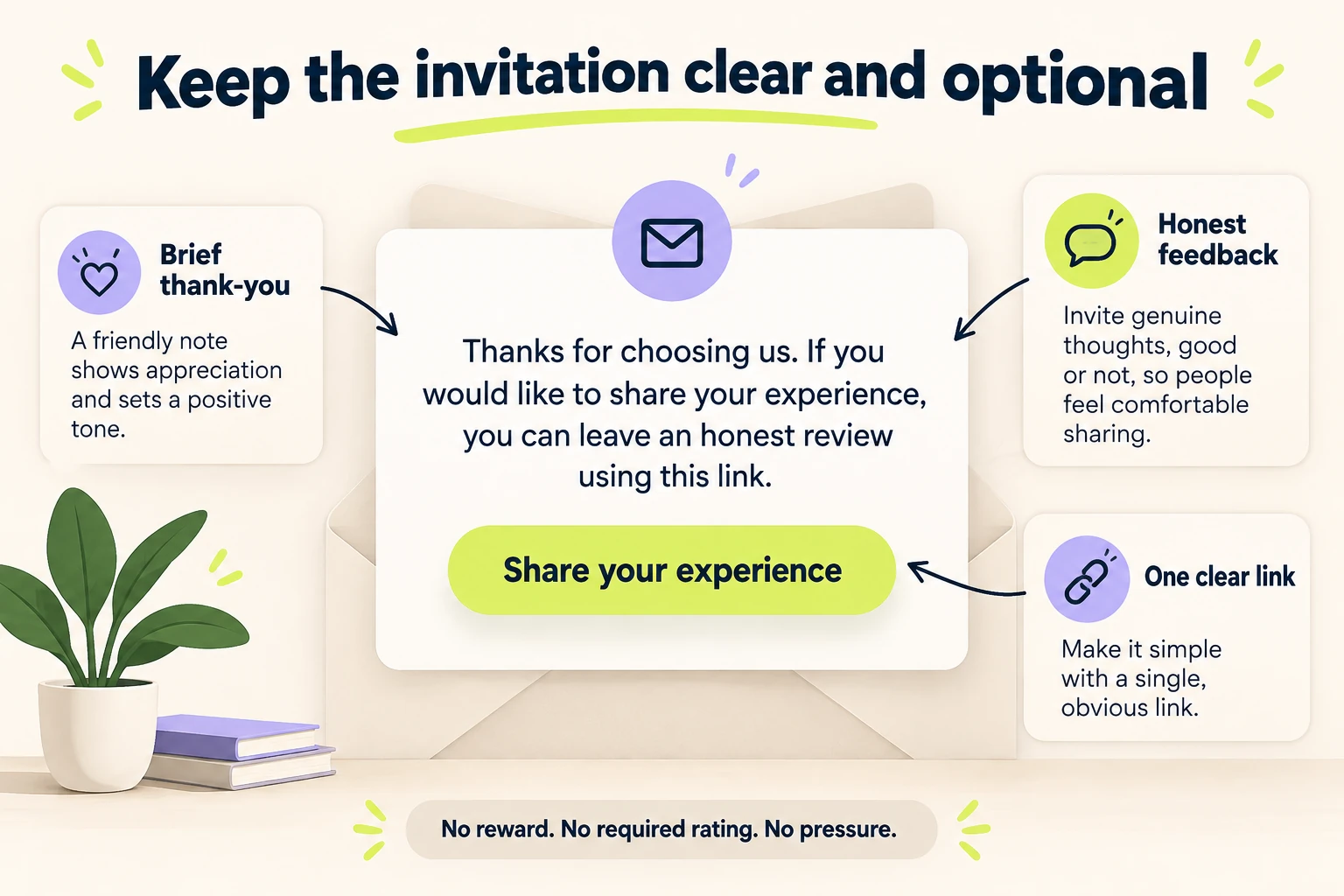
Thank you for choosing [Business name]. If you would like to share your experience, you can leave an honest Google review here: [Review link].
Thank you for your time,
[Sender name]
Keep the request separate from a long promotional message. A customer should be able to recognize why the email arrived and what the link does. Use an existing customer communication channel, and honor their preferences about further contact.
A concise SMS review request
Hi [First name], this is [Sender name] from [Business name]. Thanks for choosing us. If you would like to share your experience, you can leave an honest Google review here: [Review link]. Thank you.
Send text messages only through your agreed customer communication process. Check that the sender is identifiable and the link works on a phone. A short message can be convenient, but repeated reminders can make an optional request feel compulsory.
An in-person invitation without pressure
If you would like to share your experience, this card has a link to leave us an honest Google review. You can do that whenever it is convenient.
Offer the information, then leave the decision with the customer. They should not have to submit a rating in front of an employee or explain why they have not done it. A receipt or take-away card can provide the same invitation without interrupting the visit.
An optional follow-up
Hi [First name], here is the review link from our earlier message in case you wanted it: [Review link]. Sharing your experience is entirely optional. Thank you again for choosing [Business name].
Use a reminder only when it fits the existing relationship and contact preferences. Suppress it when someone has declined or already replied. You do not need an indefinite sequence to make a review process consistent.
Make Leaving a Review Easy Across Your Customer Touchpoints
Put the approved Google review link where a customer would reasonably expect it: a thank-you email, receipt, completion message or relevant page on your website. The invitation should explain its purpose, and the destination should be the same one your team tested.
A website can offer separate links to read customer reviews and leave a review. Label them clearly. A prospective customer comparing providers needs a different action from someone who has already used the service. Keep the main inquiry or booking path easy to find as well.
If you use a dedicated review page, make the route to Google obvious. Give customers one neutral invitation and the correct location link. Allow customers to leave a review without first passing a satisfaction survey. Test the page on a phone, including its navigation back to the main website.
If you display review excerpts on a service page, preserve their meaning, check permission and avoid presenting a statement about one service as proof of another. Identify the source accurately rather than claiming a Google endorsement. A review widget should be checked for mobile readability and its effect on page loading.
For a business with several branches, use the correct location link in each branch’s materials. Check old receipt templates, automated messages and printed cards during a move or profile change. A working central template does not establish that every branch is using it.
Follow Google’s Review Policies When Collecting Feedback
Growing your online reputation depends on feedback that customers choose to give. Google’s contribution policies prohibit fabricated experiences, rating manipulation and conflicts of interest. Keep these limits in the request process:
- Do not buy Google reviews or exchange discounts, gifts or payment for reviews.
- Do not offer a reward for changing or removing a negative review.
- Do not filter requests to solicit only positive reviews.
- Do not pressure customers to review while on the premises or tell them what content to include.
- Do not set staff quotas for soliciting reviews or ask for reviews naming a particular employee.
- Do not use employee, family or other conflicted reviews to bolster the rating.
Google permits neutral invitations based on genuine experiences. Coach your team on the correct link and appropriate wording instead of making five-star reviews an employee target. Google’s guidance on incentivized or biased reviews provides more detail. Review your automation settings for the same problems.
Respond to Positive and Negative Google Reviews Thoughtfully
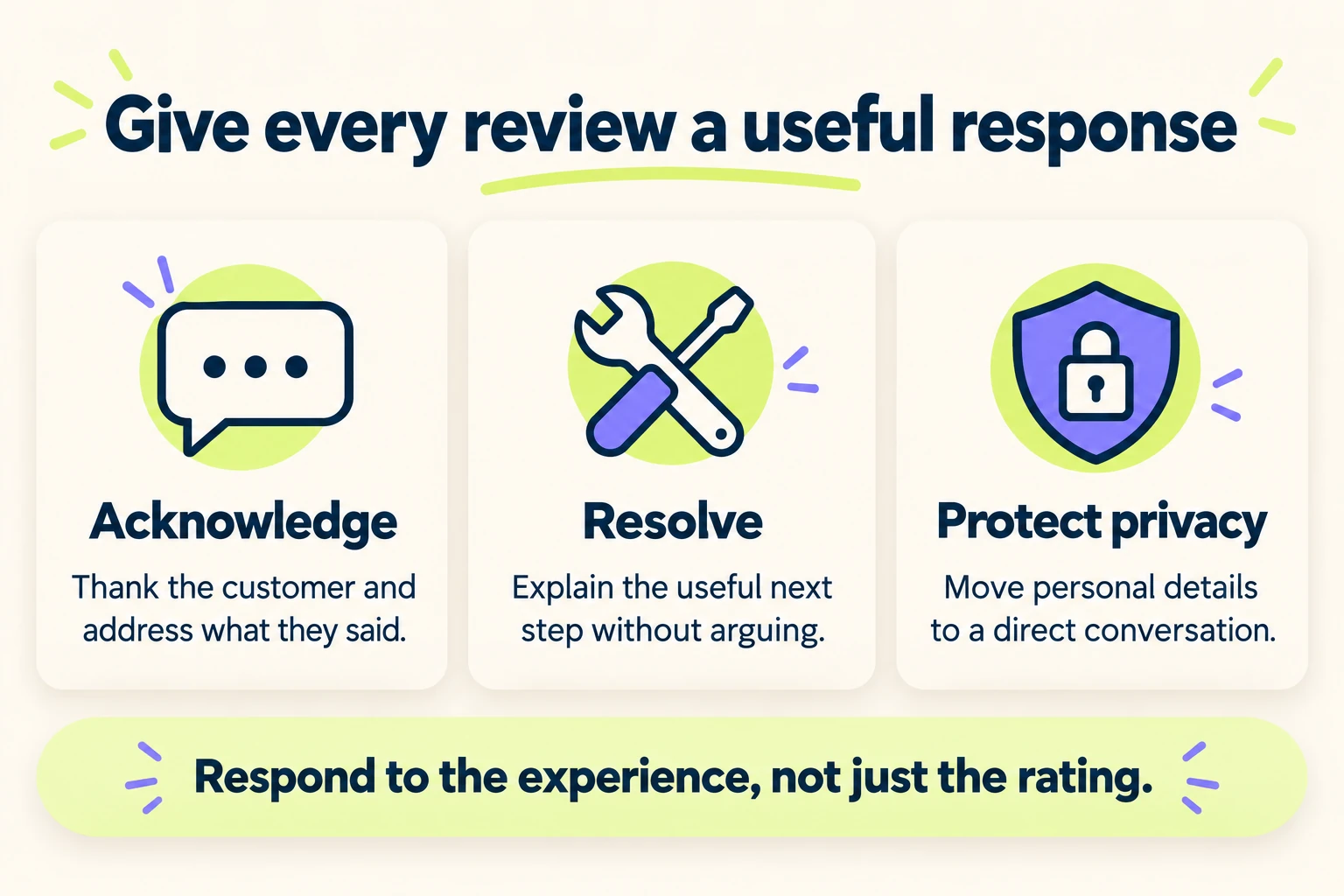
Assign someone to read incoming feedback and decide which replies need another team member’s input. A response should address what the reviewer said, rather than paste the same marketing paragraph under every rating.
You must verify the business before replying through its profile. Google’s review management instructions explain the reply controls and what happens after submission. Check that a reply is publicly visible after it is approved; saving it is not always the final step.
Reply to positive Google reviews with a relevant acknowledgment
Thank the customer and acknowledge a detail they chose to share. If they mentioned clear communication, a reply can recognize that feedback without claiming that every customer receives the same outcome. Keep it conversational and useful for someone reading the review later.
Handle a negative review without publishing private details
Read the concern before replying. Explain the useful next step, acknowledge an error when appropriate and invite a direct conversation when personal or job-specific information is needed. Avoid publishing customer records, contact details or information they did not disclose themselves.
Thank you for raising this. We would like to understand what happened and review the concern. Please contact our team through the contact details on our website so we can discuss the details privately.
Adapt that response to the actual issue; do not imply an investigation is underway unless someone owns it. The support conversation should aim to resolve the experience, without making help conditional on a changed rating. Google’s reply guidance supports concise, professional responses that protect privacy.
Investigate Missing Reviews and Report Actual Policy Violations
A customer saying they submitted a review does not establish that it is publicly visible. Check the correct listing and distinguish a delayed review from a removed one. Google says moderation, recent profile merges, older software and temporary restrictions can affect availability. Its missing or delayed review guidance explains what to check.
Record the profile link, approximate submission date and relevant account notice. Do not instruct customers to repeatedly repost the same content or change their words to evade moderation. Where Google’s guidance directs you to support, keep the evidence factual.
If a review appears to violate a policy, use the review reporting process and identify the relevant reason. Disagreeing with criticism is not itself grounds for removal. Google offers a status-checking tool and an eligible appeal process; report the actual problem rather than promising that any negative review can be deleted.
Choose Review Management Tools Around the Workflow
You can start with the Business Profile, one tested review link and an approved message template. Add review management software when manual work creates a specific problem, such as duplicate messages, missed replies or several locations needing separate destinations.
When comparing a tool, check whether it can trigger a request from a completed customer event, respect contact preferences, stop duplicate requests and show which message was sent. Confirm how it assigns each location’s link and who can review public replies.
Look at the actual settings before enabling automation. A platform that first asks for a satisfaction score and sends only high-scoring customers to Google can reproduce review gating. Automatic replies also need human oversight: a generic answer to a serious concern may leave the customer with no useful next step.
Connect reputation management with your customer service process. Someone should own a concern that requires action, even if a separate person manages the online reviews. Choose tools that make that handoff visible and keep customer details within the appropriate business systems.
Use a Weekly Checklist to Improve Your Review Process
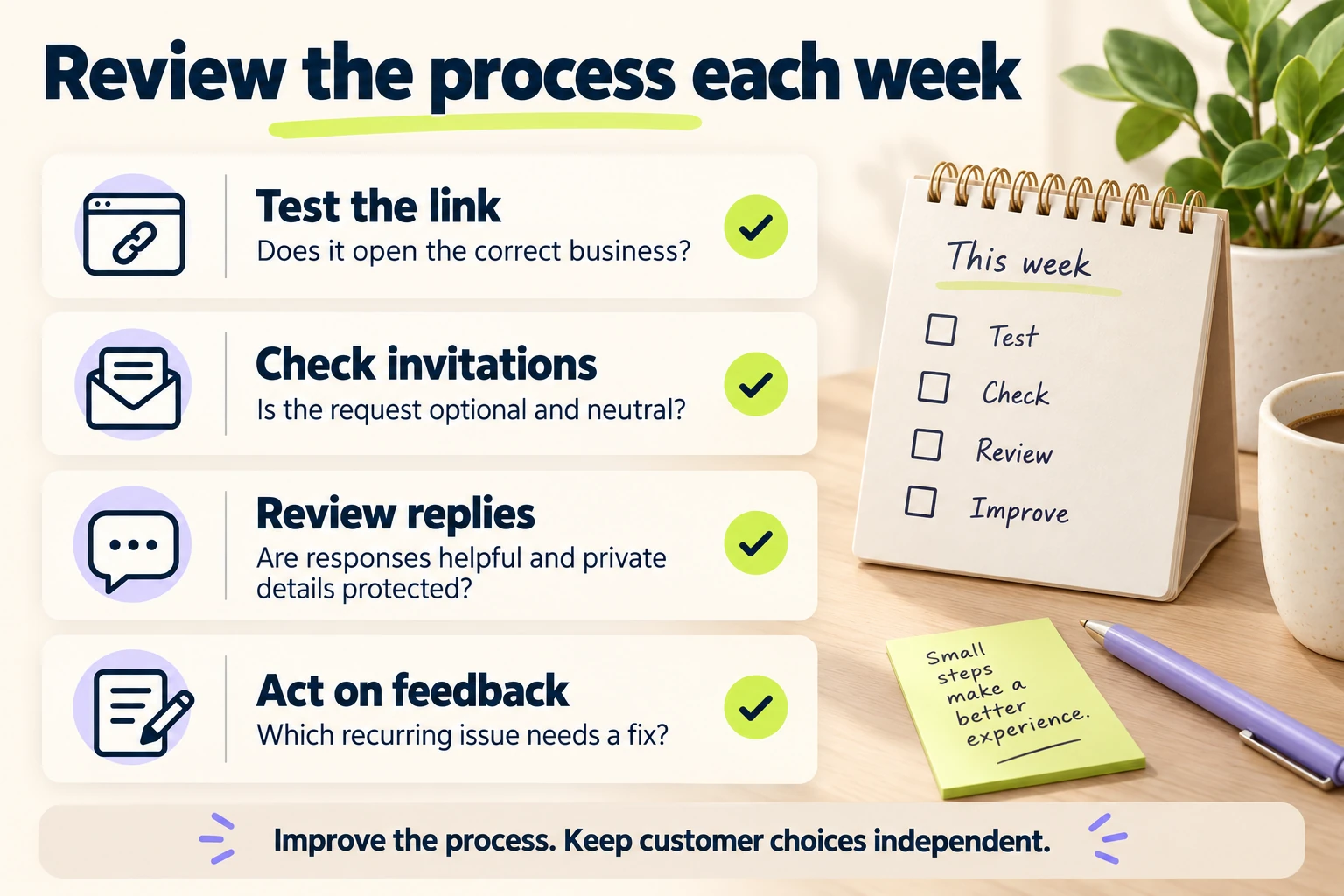
Set a regular review of the workflow with a named owner. Check the destination, message wording, replies and recurring feedback. A small business can maintain a short record instead of creating another complex dashboard.
| What to check | What to record | Possible next action |
|---|---|---|
| Review link and QR code | The location, test date and correct destination | Replace an outdated link or unreadable print |
| Request workflow | Trigger, owner, message and duplicate-request checks | Clarify the handoff or correct the template |
| Public reviews | New visible reviews for the same reporting period | Investigate an availability issue where evidence supports it |
| Review responses | Open concerns and replies that require action | Assign the appropriate person to follow up |
| Customer feedback | Recurring praise, confusion or service problems | Choose one specific improvement to verify |
Track the number of reviews and overall rating as context, without turning them into staff solicitation quotas. Google calculates the displayed score from published ratings, and score updates can lag behind new reviews. Its review score explanation describes that calculation.
Keep measurement honest. Review requests sent, links clicked, reviews published and customer inquiries do not represent the same action. You may not know which request led to which review. Compare consistent periods, and record changes in customer volume or service delivery before attributing every movement to the new message.
For leads and booked work, use the separate SEO lead measurement process. A rising review count alone does not tell you that suitable inquiries increased.
Example: A Small Repair Business Makes the Process Consistent
A repair business could use its existing completion workflow as the request point. The office team confirms that the job is complete, then sends the same optional invitation through the customer’s agreed communication channel. The message links to the correct business profile rather than asking the customer to find it.
The owner checks the link on a phone, removes rating instructions from an old template and assigns review replies to a team member. At the weekly review, the team notices repeated confusion about appointment arrival information and improves the completion and booking messages.
The useful result of this process is a clearer invitation, reliable ownership and an identified service improvement. Whether more public reviews or suitable inquiries follow needs observation; the workflow does not assume a promised rating, ranking or sales increase.
Frequently Asked Questions About Getting More Google Reviews
Can I ask customers for Google reviews?
Yes. Invite honest feedback from people with a genuine experience and give them a clear review link. Keep participation optional and the wording neutral. Apply that approach consistently rather than asking only people likely to give a positive rating.
Can customers leave a Google review without a Gmail address?
They need to sign in to a Google Account, but that account can use a non-Gmail email address. Test the review destination as a customer and explain the sign-in requirement when someone asks for help.
How many Google reviews does a small business need?
There is no universal review-count target that guarantees local visibility or customer inquiries. Consider the market and what useful information customers can read. Maintain a genuine feedback process and review the wider profile, website and customer experience.
How can I get more 5-star Google reviews?
Improve the actual service and make honest feedback easy to give. Customers decide their ratings independently. A request for positive reviews, a reward or a required phrase can compromise the process; address the experience behind the feedback instead.
Should I offer a discount for leaving a review?
No. Google’s review guidance prohibits incentives for posting reviews, changing them or removing negative feedback. Keep discounts and other service offers independent of the customer’s review decision.
Can I delete a negative Google review?
A business can report a review that violates Google’s policies; it cannot simply remove criticism it dislikes. Use the relevant reporting reason and check the decision. Respond helpfully to legitimate feedback and resolve the underlying concern through your support process.
Is a review request link free?
You can obtain the link and available QR code through Google Business Profile without purchasing a review request platform. Software may help manage a larger workflow, but a tested link and clear ownership are enough to start.
Start With One Clear, Repeatable Review Request
Choose the right customer moment, test the Google review link, approve a neutral message and assign someone to read the feedback. Check the process each week and make one improvement you can verify. Consistent service and a usable request path give customers a straightforward opportunity to share their experience.
If your profiles, location information and customer pathways need a wider review, TeamSoda’s local SEO service can connect the review workflow with the business details, website pages and inquiry paths customers use to choose a provider.