


Find the Search Visibility Problem Before Choosing a Fix
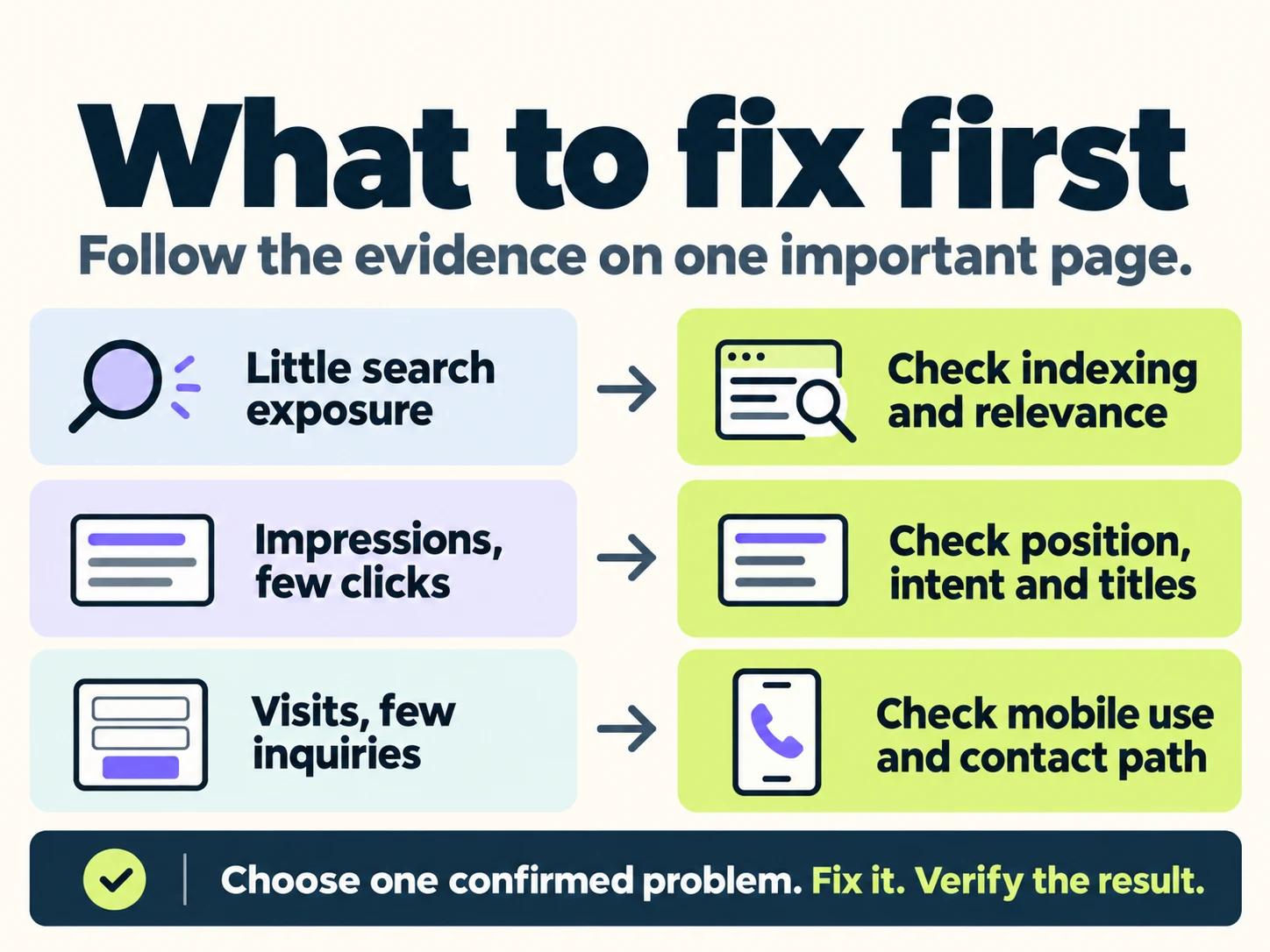
To improve your small business website’s search visibility, start with one important page and identify where the customer journey is breaking. Check whether Google can index the page, whether it appears for the right searches, whether people click, and whether suitable visitors can complete an inquiry. Use that evidence to choose the first fix.
A long list of SEO tips can make every task feel urgent. Updating titles, publishing articles, improving speed and collecting reviews may all have a place. The useful question is which change addresses a problem you can actually demonstrate on a page that matters to your business.
Search visibility describes how often and where your pages appear for relevant searches. SEO ranking is part of that picture. A company can rank for its own name while having little online visibility for the services new customers need. Start with the searches and pages connected to the work you want to sell.
This guide gives you a page-level decision process and a simple record for the work. For a broader inventory of website issues, use the complete SEO checklist.
Use keyword research to choose one small business page
Choose a service or product you want more suitable inquiries for. Then identify the page a potential customer should reach when searching for it. A service page usually gives you a clearer starting point than the website’s overall traffic total.
Write down the customer’s task: finding an emergency plumber, comparing office-cleaning providers, checking a product’s suitability, or booking an appointment. Note the location or other conditions that affect fit. These details guide your keyword research and help you recognize irrelevant traffic.
Use customer questions and your team’s service terminology to build an initial keyword list. Check that language against available search data. “Office cleaning” and “commercial cleaning” may describe overlapping needs, but the searches can also include different properties and expectations. Read the search results before deciding that one page should answer both. A popular phrase is useful only when it describes a need your business can actually meet.
If the intended page does not exist, first check whether another page already serves that need. Create a new page when it has a distinct purpose. Otherwise, improve the existing page and keep its relationship to the rest of the website clear.
Measure search visibility with Google Search Console
Open Google Search Console and use the Performance report to select a completed date range. Start with a recent period your business can interpret, then compare it with a similar-length period. Seasonal businesses may also need a year-over-year comparison.
- Select the page. Use the Pages tab to filter the report to its URL.
- Review the search queries. Identify searches related to your business, its actual service or product, and the customer need.
- Separate the audiences. Where useful, review country and device differences, and distinguish searches for your business name from broader service searches.
- Record the pattern. Note impressions, clicks, click-through rate and average position for the relevant page and queries.
- Check the next action. Review the landing page, inquiry records and available analytics for the same period.
Google’s guide to interpreting search performance can help you read these patterns. Keep a note of your filters so later comparisons describe the same audience. Some queries are omitted for privacy, and a report with little data leaves questions to investigate.
| What you observe | Check next | Possible first action |
|---|---|---|
| The intended page is not indexed | URL Inspection, access and canonical details | Resolve an unintended access or indexing issue |
| The page is indexed but has little relevant search exposure | Search intent, page coverage, internal links and demand | Improve the page’s relevance or its connections |
| Relevant impressions appear, with few clicks | Position, search-result wording and competing results | Address the demonstrated presentation or relevance gap |
| Suitable visitors arrive, but inquiries are weak | Page clarity, contact path and completed-action tracking | Repair the inquiry path or improve the offer’s explanation |
| The evidence is sparse or tracking is unreliable | Measurement setup and the live customer journey | Establish a usable baseline before judging performance |
Check technical SEO when a page is missing from search engines
Confirm indexing before trying to improve rankings
Begin this technical SEO check with Google’s URL Inspection tool. Inspect the exact page and read its indexing reason, crawl information and Google-selected canonical. The indexed record describes the version Google processed; the live test checks current accessibility.
Confirm that the page you want customers to find loads successfully and that any indexing restriction is intentional. A private account page may properly use noindex. An important public service page may have inherited an accidental setting. Investigate the purpose before changing it.
An alternate URL can also be correctly excluded when Google indexes its canonical version. Resolve the issue that affects the intended page, rather than trying to make every URL variation appear in search engines. After an access fix, test the page again and request indexing where appropriate.
Use on-page SEO to match the search intent
Indexing makes a page eligible for Google Search; it does not establish that the page will appear prominently for a particular keyword. Compare the intended search intent with the page’s content. Does a visitor looking for a specific service receive a useful answer, or a general company description?
Optimize the page’s service details, answers and evidence. Explain who the service is for, what it includes, where it is available and how a customer can proceed. Fill specific gaps using your team’s actual knowledge. The SEO content brief template can help turn those gaps into a clear writing assignment.
Improve internal links and relevant backlinks
Check how visitors reach the page from your navigation, related services and useful articles. A priority service page with no links from the rest of the website is harder to discover. Add descriptive links where they help the reader continue, and confirm that they reach the intended URL. Google’s link guidance explains how crawlable links and clear link text help search engines understand and find pages.
Backlinks are links from other websites. For an accessible, useful page in a competitive market, review relevant third-party references alongside search demand and competing pages. A trade association listing, an accurate supplier directory or a useful local resource may provide a legitimate reason to link to your website. Investigate suitable opportunities instead of buying a bulk link package; Google’s spam policies prohibit buying links to manipulate rankings.
These SEO strategies address different problems. Repair a broken internal link directly. Pursue an external reference when the relationship and destination are useful. Neither task replaces a page that answers the customer’s question.
If clicks are low, review rankings and search result wording
Click-through rate is clicks divided by impressions. Average position summarizes the topmost result for the selected grouping. Google explains the counting rules in its Performance report data documentation. These are useful signals, but a sitewide average can conceal very different page and query patterns.
A page appearing in lower positions may attract few clicks even with clear wording. Another page may appear for searches that are only loosely connected to the business. Low click-through rate alone does not tell you that the title is the problem.
Review the search engine results for representative queries. Note whether people seem to want a provider, product, comparison or explanation. Consider the competing results and the information a customer needs before choosing a link.
Write clear SEO titles and useful meta descriptions
Write a concise title that describes the actual service or topic. Align the main heading and opening with that promise. Google’s title-link guidance explains that its displayed title is generated from several sources, including page titles and headings.
For an office-cleaning service page, a generic title such as “Our Services | Company Name” may be less useful than “Office Cleaning in San Diego | Company Name,” provided the business offers that service in that area. Add the same clarity to the page itself.
A meta description should summarize the page accurately and give the reader a reason to continue. Google often creates the search snippet from page content, so editing the description alone may not change every displayed result.
Record the edit date, then review the same page and query groups after the change has been processed and enough comparable data has accumulated. Note shifts in position or query mix when interpreting click-through rate.
Improve your website for mobile visitors and inquiries
Check whether those visitors are plausible customers. Traffic seeking jobs, free instructions or a service you do not provide can make total visits look healthy while producing few suitable inquiries. More traffic to your website helps only when you understand who is arriving and what they need.
Check mobile usability and page speed
For relevant visitors, review the page on a phone. Can you read the service details, open the menu and tap the contact action without a banner getting in the way? Check whether images shift the layout or a booking widget delays the next step. These observations identify a specific problem your web team can reproduce.
Use a page-speed test and available Core Web Vitals data to investigate delays. Google’s page experience guidance covers performance, mobile display and access to the main content. Good performance matters, but a perfect tool score does not guarantee a top search engine ranking. Prioritize an observed problem on the customer’s path, then retest that page after the correction.
Verify contact forms and inquiry tracking
Confirm that the service, service area, useful proof and next action are easy to understand. Then follow the call, booking or form path through to its destination.
A successful-looking form can still have a delivery problem. Submit a clearly labeled test through the appropriate process, check the confirmation and verify that it reaches the responsible person or system. For phone calls, distinguish a click on a phone link from a completed call and a qualified inquiry.
In Google Analytics, a key event records an action you have chosen as important to the business. Check what the event measures before treating it as a lead. A button click, scroll and completed submission represent different actions.
When tracking is missing, record the uncertainty and repair measurement. When the contact path is broken, fixing it is a practical priority for the visitors already arriving. For the wider tracking process, follow TeamSoda’s guide to measuring SEO leads.
Improve local SEO with an accurate Google Business Profile
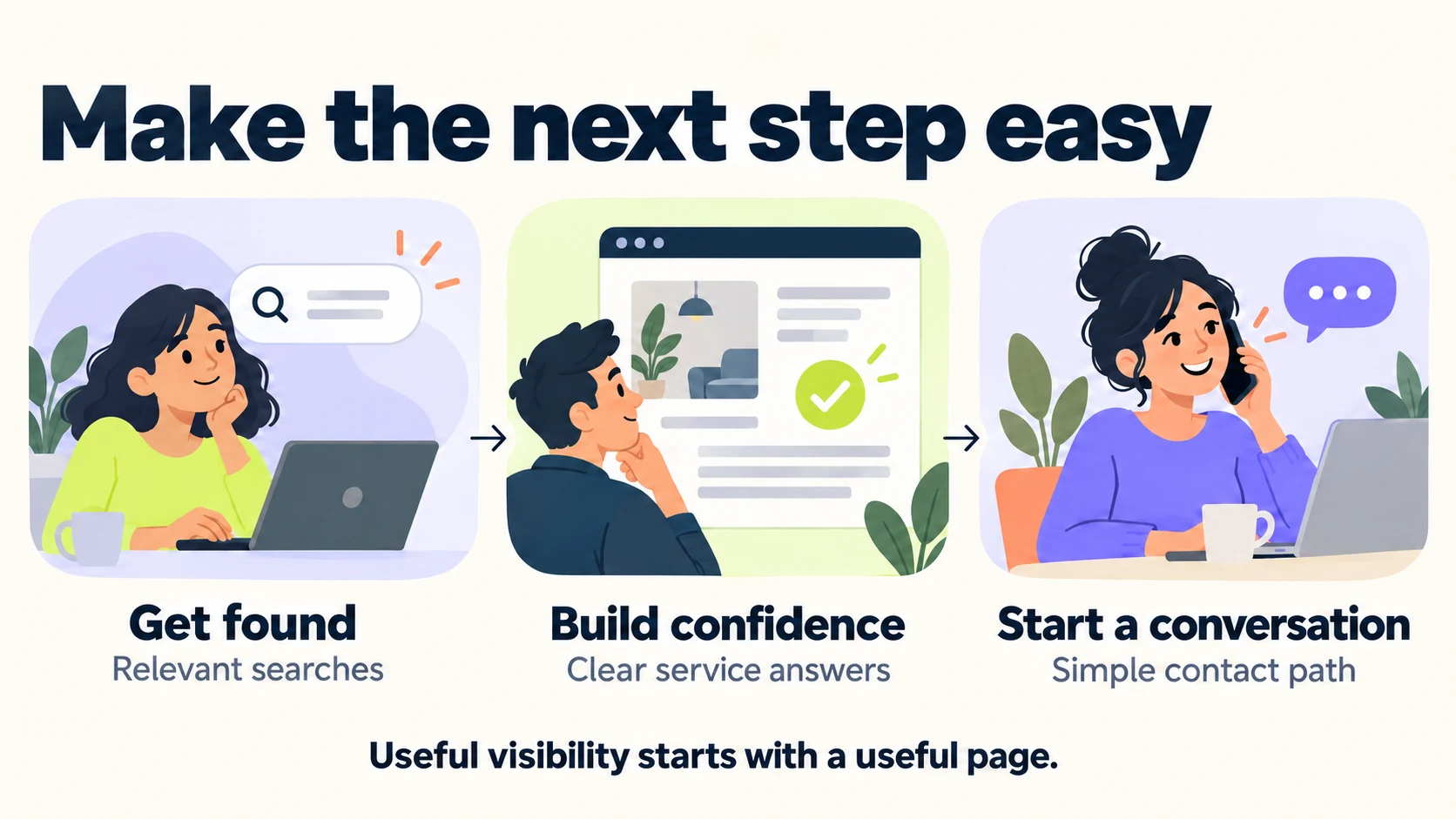
A local business can be visible in website search results while needing work on its Google Business Profile, or have a useful profile and weak service pages. Check the channel customers actually use to find and evaluate the business.
Confirm the profile’s accurate category, contact details, hours and website destination. Make sure the linked page explains the relevant service and real location or service area. Google’s local ranking guidance describes relevance, distance and prominence as important factors.
Visibility in local search results varies with the searcher’s location. A Google Maps ranking check from one place cannot describe every customer’s experience. Accurate information, useful reviews and relevant references support a credible online presence. Use real locations and service areas; create local pages when they offer useful, distinct information.
For a fuller review of local search visibility, use the local SEO checklist. Keep this work connected to the services and areas the business serves.
Prioritize SEO fixes by impact, evidence and effort
You now need an ordered task, not a larger warning list. Prefer a confirmed problem affecting an important customer path over a speculative improvement on a low-value page. Consider the effort, dependencies and who can verify the result.
A failed inquiry form or accidental indexing restriction on a priority service page is a clear candidate. A general wish to rank higher needs a more specific explanation: which search, which page, what evidence, and what part of the page or surrounding website needs work?
| Record | What to write down |
|---|---|
| Page and customer task | The exact URL, intended audience and useful next action |
| Evidence | The observed issue, source, date and any report filters |
| First change | One bounded correction and the reason it comes first |
| Owner and dependencies | The responsible person and any required content, access or approval |
| Verification | How you will confirm the correction works |
| Performance review | What to compare later and when the evidence will be sufficient |
A technical correction can often be checked directly. Its effect on organic search results, website traffic or lead quality needs a suitable observation period. Keep those two checks separate in the record.
Example: choosing the first fix for an office-cleaning page
Consider a hypothetical office-cleaning business. Its service page is indexed, appears for relevant searches and receives suitable visits. A test inquiry shows a confirmation message, but the request never reaches the operations team.
The first task is to repair delivery and retest the complete form path. The web team owns the correction; the operations team confirms receipt. Title and content improvements can remain in the backlog while this confirmed failure is addressed.
Afterward, the business reviews completed inquiries and their suitability alongside the page’s search performance. That connects the SEO work to a customer outcome without inventing a traffic target or attributing every later change to one edit.
Choose SEO tools that explain website visibility
Search Console helps explain how your pages perform in Google Search. URL Inspection investigates a specific URL’s indexing and accessibility. Analytics and inquiry records help examine what happens after a visit.
TeamSoda’s free SEO checker can provide sampled website-foundation findings such as metadata, headings and technical access. Use those observations alongside search-performance and business data when deciding what to fix.
A score is most useful when you can see its inputs and scope. Choose work because it addresses the evidence on an important page, and verify the change. That gives search engine optimization a practical place within your wider digital marketing plan.
Frequently asked questions about small business SEO
What does it mean to optimize your website for search engines?
SEO for small businesses involves improving access, website content and page organization so search engines like Google can understand what each page offers. For a small business website, start with a clear service or product page, working internal links and an accurate title. Google’s SEO Starter Guide explains these foundations. Use the diagnosis above to choose the correction your page needs.
What is a good search visibility score for a small business?
There is no universal target across different tools and markets. Check the keyword set, locations, result types and calculation behind a score. Track relevant page exposure, clicks and suitable inquiries alongside it, using consistent settings.
Should I publish more blog posts to improve visibility?
Publish when a distinct customer question needs a useful answer. First check whether the service or product page customers should reach is accessible and complete. An existing page may need a focused update before the business needs another article.
What common SEO mistakes should I avoid?
Avoid changing many things at once without a record, judging performance from a sitewide average, and treating every tool warning as equally urgent. Repeating keywords unnaturally or publishing near-identical city pages adds little value for readers. Keep the page useful, preserve a baseline and verify each correction before drawing conclusions about its effect.
How soon should I review an SEO change?
Verify functional and technical fixes as soon as they are released. Review search performance after search engines have had time to process the change and you have enough comparable data. Account for seasonality, demand and other edits when assessing the result.
When should I get help with the first fix?
Get help when the issue involves development, unclear indexing behavior, unreliable measurement or a costly decision. A useful specialist should explain the evidence, proposed correction, dependencies and verification plan.
Build an SEO strategy to improve search visibility
Choose one important page, record the observed problem and assign the first correction. Once it is verified, use the evidence to decide what deserves attention next.
If you need help identifying that starting point, TeamSoda’s SEO audit service can connect website findings with search visibility, customer journeys and an ordered repair plan. Bring the page, the service you want to grow and the evidence you already have.