

Can You Improve SEO Without Rebuilding Your Website?
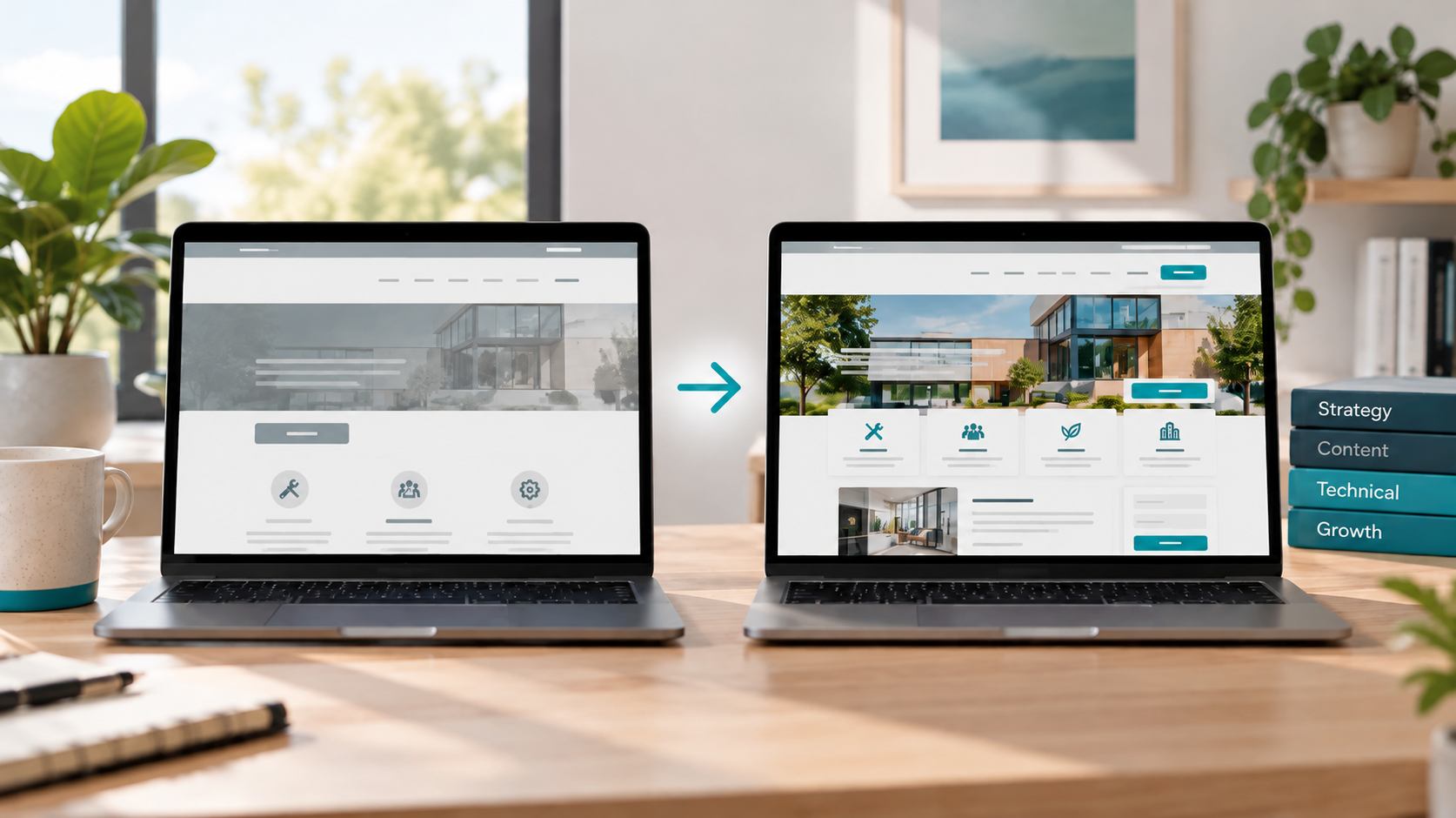
An outdated website, declining search visibility, or fewer customer inquiries can make a full rebuild feel unavoidable. But you can often improve SEO without rebuilding your website. The first question is not whether the design looks old. It is what prevents the right people from finding your services, understanding your offer, or contacting your business.
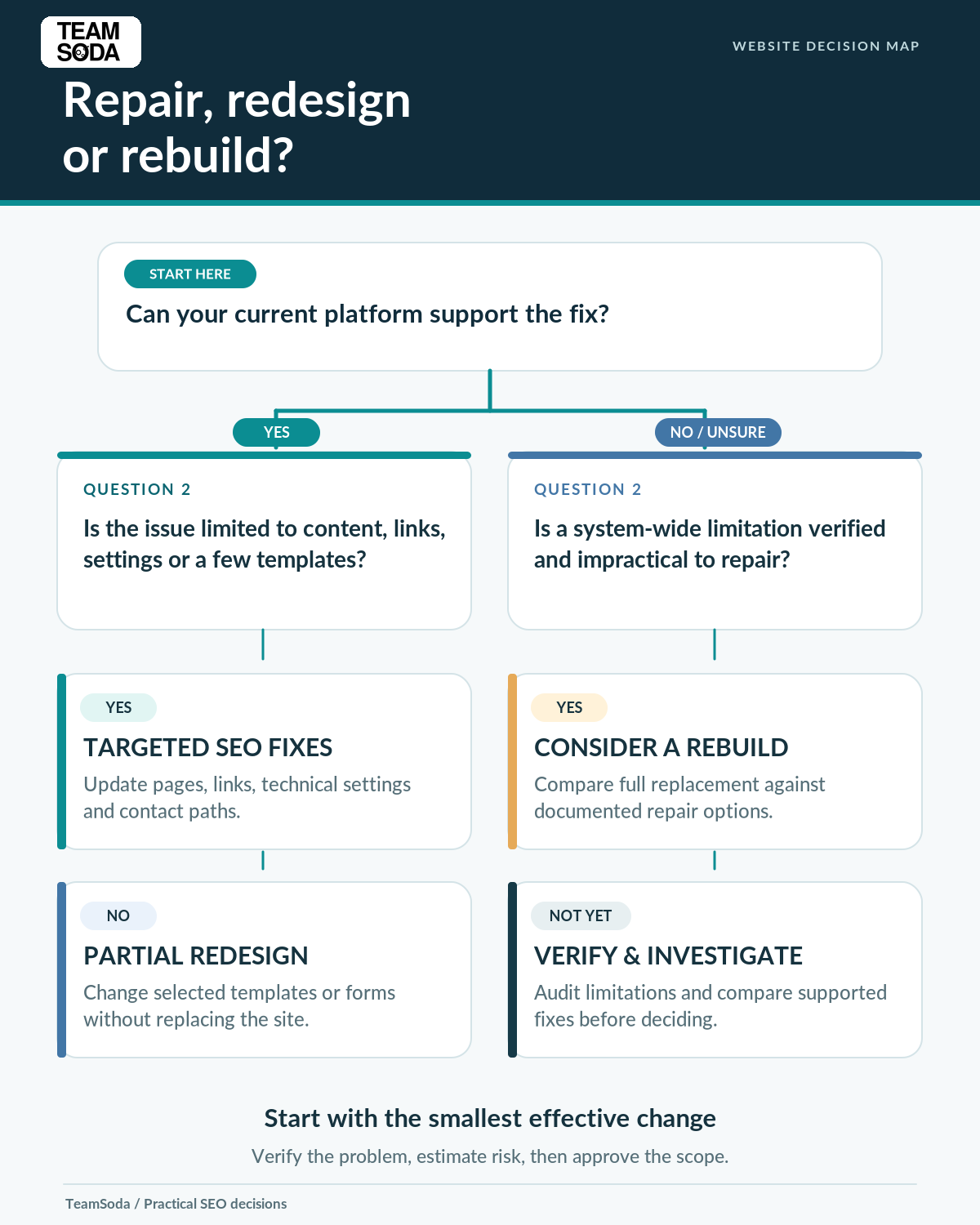
Incomplete service pages, weak internal links, technical SEO issues, confusing navigation, and difficult contact forms can often be improved on the current platform. A targeted repair or partial website redesign may solve those problems without replacing every page. A full rebuild may still be justified when essential features cannot be supported or maintained safely.
In this guide, we’ll compare SEO improvements, partial redesigns, and complete rebuilds so you can choose the right investment. You’ll also find a practical comparison table and an approval checklist to help protect useful content, organic traffic, and your budget.
Do You Need Better SEO, a Better Website, or Both?
Before requesting redesign proposals, separate three questions that often get treated as one.
1. Can the right people find your pages?
Start with the searches and services that matter to the business. In Google Search Console, review which pages receive impressions and clicks, which keyword queries they appear for, and whether important service pages appear in relevant search results at all. Check patterns in search engine visibility rather than relying on a single ranking screenshot. Search Console provides search-performance information; it does not explain every cause of weak performance or replace a full website review.
If customers cannot find a specific service because the website barely describes it, a new visual design may not solve that gap. The first task could be improving the existing service page or creating a genuinely missing one.
2. Do visitors understand what you offer?
Open your most valuable pages as though you had never heard of the company. Can you identify the service, who it is for, what the work includes, where it is available, and what happens next? Are qualifications, real project examples, or other appropriate evidence easy to find?
Thin descriptions and vague headings are content problems until evidence shows otherwise. They can often be corrected without replacing the page template.
3. Can a suitable visitor take the next step?
Test the site on a phone as well as a desktop. Try the call button, quote form, scheduling link, and navigation. Use Google Analytics to review visits and correctly configured key events (such as contact-form submissions), but also test the form directly. Confirm that tracked inquiries reach your team. Does the form submit successfully? Does the confirmation explain what happens next? A website can attract relevant visitors yet lose inquiries because the next step is unclear or broken.
A focused SEO audit should distinguish these issues before anyone approves a major development project.
How to Optimize Your Existing Website for SEO Without Rebuilding
The practical answer depends on the editing permissions, content management system, and technology behind the current site. These are common areas where targeted work is possible.
Improve existing service pages
Begin with the pages tied most closely to the services the business wants to sell. Use keyword research to identify the language customers use for those services, but prioritize the questions that a real buyer needs answered. For practical on-page SEO, replace general statements such as “high-quality solutions for all your needs” with specific information: what is provided, who it helps, typical project considerations, service limitations, and the next step for an interested customer.
Where appropriate, add real project photographs, clear captions, useful comparisons, verified qualifications, or FAQs based on actual customer questions. Create a new page only when it addresses a distinct customer task; otherwise improve the page that already serves that purpose. You do not need a new website to make an existing page more informative if your platform permits those changes.
Example: A commercial cleaning company may have one short page that lists office, medical, and post-construction cleaning without explaining any of them. Expanding the descriptions—or creating distinct service pages when buyer needs clearly differ—may be more valuable than changing the site’s colors or logo.
Make pages easier to navigate and understand
Use descriptive page titles, clear headings, and internal links that help people move between related information. Make the main service clear to both visitors and search engines without repeating an exact keyword unnaturally. Keep important services reachable through logical navigation instead of leaving them buried several clicks away. Give each substantial page a distinct purpose rather than repeating nearly identical language across URLs.
Google’s SEO Starter Guide explains how understandable site structure, helpful content, descriptive links, and accessible pages can support discovery. This work does not require a new domain or a completely different design.
Fix technical barriers on the existing platform
Important pages may be blocked from indexing, linked incorrectly, duplicated through avoidable URL variants, or affected by rendering errors. A focused technical SEO review can distinguish fixable configuration errors from limitations in the underlying website platform. Images and scripts may also make some pages unnecessarily slow. A developer may be able to correct these problems in the current website through configuration, template changes, or focused code updates.
Verify the problem first. A tool warning is a clue, not proof that a platform must be replaced. A website crawler (often called an SEO spider) can inventory page titles, links, response codes, and indexability issues. Confirm the findings before choosing a repair. For example, investigate whether an image-heavy page can be improved through image sizing, caching, and script changes before purchasing an entirely new theme. Core Web Vitals help assess loading, responsiveness, and visual stability.
Improve mobile usability and inquiry paths
Sometimes the highest-value improvement is straightforward: make the primary action visible, remove an unnecessary form field, clarify the service area, improve text legibility, or repair a broken mobile menu. These changes primarily improve the customer journey and can complement SEO work; they are not substitutes for attracting relevant traffic. A website redesign can help where the layout is genuinely obstructing the user experience, but a focused adjustment may improve usability without sacrificing the site’s existing structure.
If visitors are reaching the right page but failing to make contact, consider a targeted conversion improvement rather than a full rebuild.
When Does a Partial Website Redesign Make More Sense?
Some problems are caused by the layout or template, not just the words inside it. A service page may need room for project evidence, a comparison table, or a clearer call to action, while the existing template makes those elements difficult to use. The homepage may have confusing navigation even though the rest of the website works.
In that situation, redesigning one template, changing a menu, or rebuilding a form can be the middle option. The redesign process can be limited to a specific component instead of becoming an expensive sitewide replacement. The site may retain its content management system, main design language, domain, and most existing URLs.
Ask whether the problem occurs across the entire website or only on particular page types. Replacing three weak service templates is a different project from rebuilding hundreds of pages. Confirm which changes can be safely released within the current platform and how they will be tested.
When Is a Full Website Rebuild Justified?
A full rebuild is worth comparing when the website’s underlying technology prevents the business from meeting essential needs—not simply because its appearance is older or a third-party website audit produced a long list of warnings. Even if a redesigned site looks better, its search engine ranking depends on far more than visual presentation.
Examples worth investigating include:
- Critical editing limitations: Staff cannot maintain necessary service information, navigation, or page content, and practical supported alternatives have been exhausted.
- Unsupported or unsafe technology: Essential components no longer receive appropriate security or platform support, and remediation is not viable within a reasonable scope.
- Structural limitations across many pages: Required functionality or accessible page behavior cannot be implemented reliably through targeted template changes.
- Unsustainable maintenance: Repeated repairs and workarounds create a documented long-term cost or reliability problem compared with a replacement.
- A material business change: The website must support a fundamentally different catalog, transaction flow, or operational model that the present system cannot realistically accommodate.
None of these automatically mandates a rebuild. They justify a technical and financial comparison. Ask the developer to demonstrate the limitation, describe alternatives considered, and estimate both repair and replacement costs. Security and accessibility are important independent responsibilities; do not reduce every decision to a supposed direct ranking gain.
Targeted SEO Updates vs. Partial Website Redesign vs. Full Rebuild
Use the same criteria when reviewing all three options rather than comparing a detailed rebuild proposal with a vague promise to “do some SEO.”
| Option | What changes | When it may fit | Main questions to resolve |
|---|---|---|---|
| Targeted improvements | Content, titles, internal links, images, selected technical settings, and contact details. | The platform works and the problems are limited to particular pages or functions. | Can the existing tools support the edits? Which pages matter first? How will results be checked? |
| Partial redesign | Selected templates, navigation, forms, or page layouts while most of the website remains in place. | Important customer tasks are constrained by specific design or template problems. | Can the weak components be changed independently? What content and URLs will stay unchanged? |
| Full rebuild | The platform, architecture, or substantial parts of the website are replaced. | Verified system-wide limitations make repair impractical or disproportionately costly. | What cannot be fixed in place? What migration risks, ongoing costs, and dependencies are involved? |
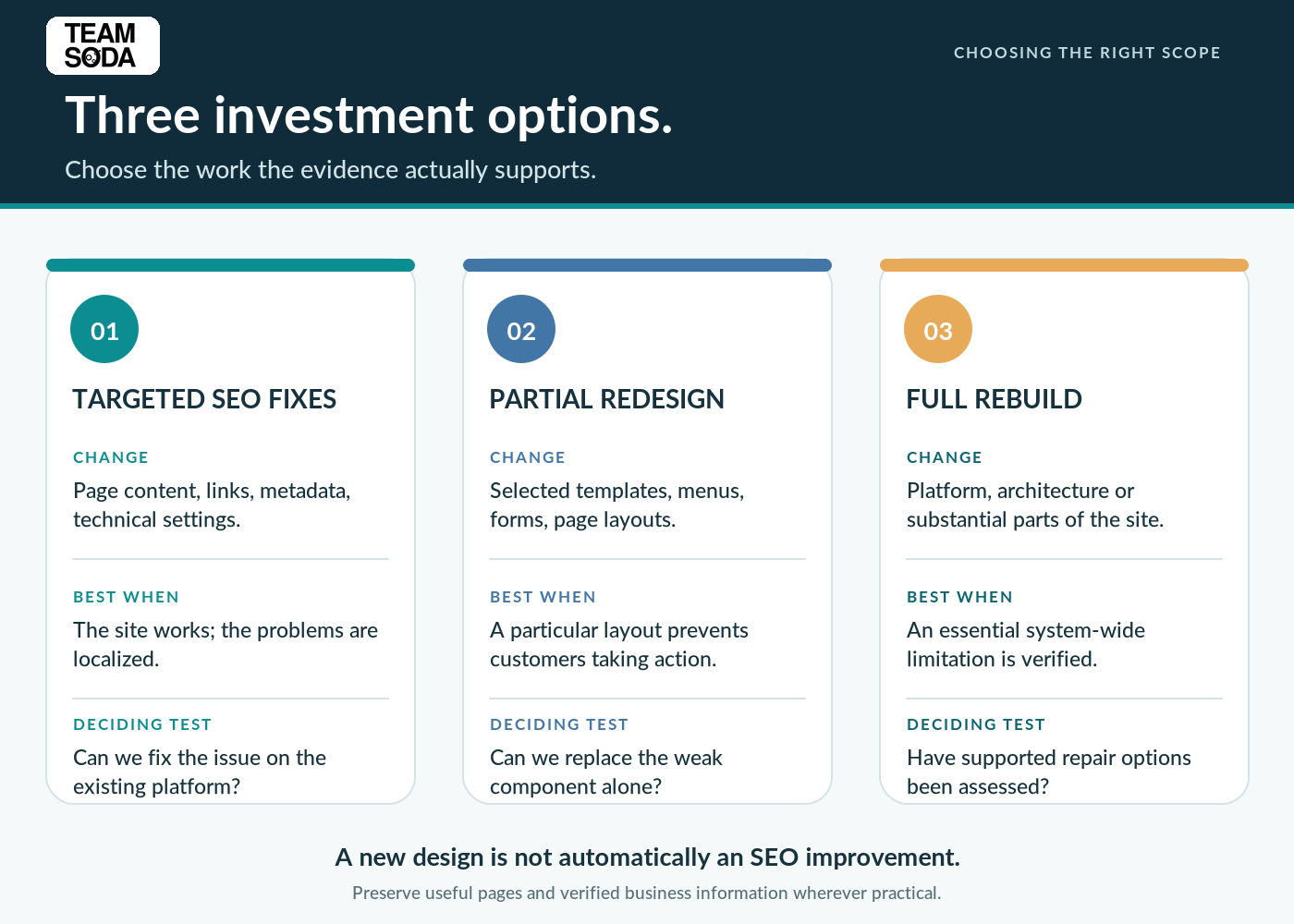
There is no automatic winner. A targeted update might be the lowest-disruption choice for an established site, while a rebuild may be more economical over time for a system that has become difficult to support. Before commissioning a new site, compare what each option can actually fix, its implementation cost, and the longer-term maintenance burden. The evidence—not the size of the proposal—should decide.
Two example scenarios: improve the existing site or rebuild?
Example A: The site looks dated but the important tools work
An established home-services company has functioning mobile pages and a reliable contact form. Its problem is that several profitable services receive only a sentence of explanation, important pages are poorly linked, and the headings are generic. The business can edit these pages in its current content management system.
Likely starting point: improve the relevant service pages, reorganize internal links, replace unhelpful imagery with actual job photographs, and verify the contact path. A completely new website is not required merely to correct those gaps. If the design later proves to limit customers’ ability to use the pages, reconsider selected template changes.
Example B: The website cannot support essential operations
A growing business uses an unsupported custom platform. Staff cannot safely edit key sections, the quote workflow depends on a failing integration, and attempted fixes repeatedly disrupt unrelated pages. Its developer has documented the limitations and evaluated supported alternatives.
Likely starting point: compare a substantial platform repair with replacement, including implementation, security, training, maintenance, and migration work. A rebuild may be justified here—but not until the alternatives and their costs are clear.
How to Protect SEO Rankings While Improving Your Existing Website
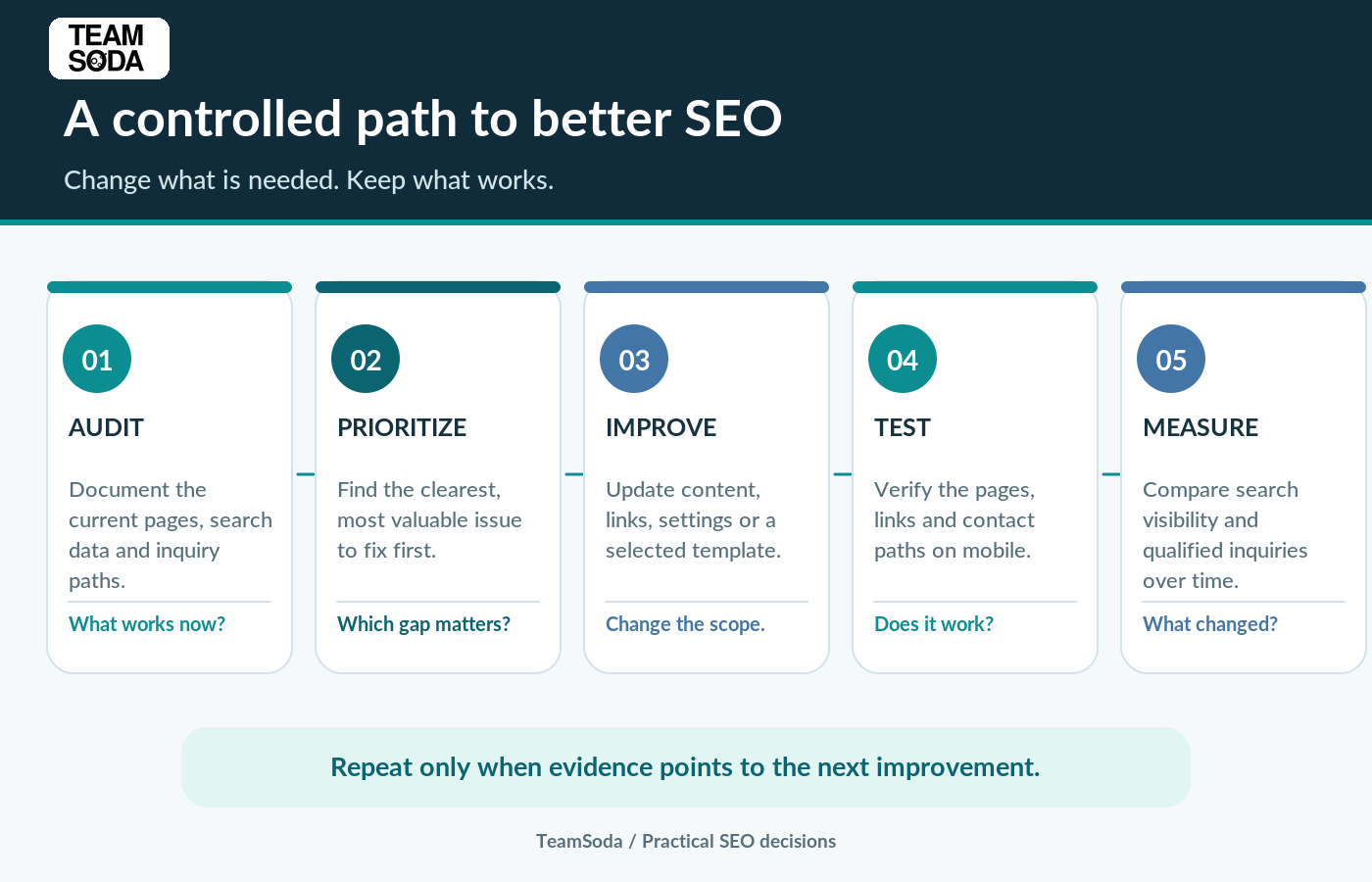
Even small changes deserve a baseline and a test. A sensible workflow can prevent an improvement project from becoming an uncontrolled redesign.
- Record the starting point. Note priority URLs, search queries, search impressions and clicks, organic traffic trends, relevant inquiry actions, and any known technical problems. Search Console and analytics serve different purposes; neither should be described as a website crawler.
- List what must stay. Identify useful service content, navigation destinations, existing URLs, relevant backlinks, approved business facts, and functioning customer pathways. A move or deletion may affect visitors who use those links and the way search systems discover the destination. Keep a change log with a responsible owner.
- Start with the clearest problems. Change a manageable group of pages or components and describe the expected result. Do not rewrite every page just because a refresh is underway.
- Test the actual change. Check the live page on mobile and desktop, follow its internal links, submit the form, and validate relevant technical behavior. If a URL is unchanged, it does not need a move redirect. If a page moves permanently, plan a suitable 301 redirect, update internal links, and verify that visitors do not land on an avoidable 404 error. Relevant redirects keep visitors and search systems connected to the replacement pages.
- Compare results with context. Recheck search rankings, page visibility, and inquiries over an appropriate period, considering seasonality and other changes. Do not promise immediate or guaranteed ranking gains from an edit. For guidance on assessing inquiry quality, see how to measure SEO leads.
For a genuine change of URL structure or platform, Google’s site migration guidance explains additional planning and validation. That is a different, larger workflow from improving a page in place.
If You Decide to Redesign, Protect Your Existing SEO Assets
If redesigning a website is genuinely necessary, record the pages that already attract organic search visitors and the backlinks that lead to them. That existing content, its links, and its accumulated signals have value; a careless migration can affect link equity and access to useful pages. Audit the current URLs before determining which pages will remain, move, combine, or be retired. Important content should not disappear simply because a new template has less space.
If you redesign your site and change URLs, map moved pages to their closest relevant destinations, set up redirects where appropriate, update internal links, and test the final results. Confirm that search engines can access the intended pages and that customers can still submit inquiries. A website redesign SEO checklist helps reduce preventable migration errors; it cannot ensure that rankings will never change.
What Should You Ask Before Approving Website Work?
Bring these questions to an SEO consultant, in-house marketer, designer, developer, or agency. The answers should lead to a written scope—not merely a score from an automated tool.
- Which business goal is the proposed change intended to support: discovery, understanding, inquiry completion, or a combination?
- Which actual pages or customer journeys demonstrate the problem?
- What can we improve using the current platform and design?
- If a new template or platform is recommended, what specific limitation makes it necessary?
- What will we keep, and what could change: URLs, content, navigation, analytics, and form workflows?
- What are the relative implementation costs, ongoing costs, dependencies, and risks?
- Who owns the website, accounts, content, and final approval?
- How will changes be tested and how will we determine whether the intended problem was fixed?
A useful proposal should distinguish confirmed defects, growth opportunities, and optional enhancements. Ask which SEO elements are being changed and how the team will verify them. It should also explain what will not be changed. If the vendor proposes a rebuild, ask for the evidence supporting it; if the vendor promises that a few edits will solve everything, ask for the same evidence.
Frequently Asked Questions
Can you redesign your website without losing SEO rankings?
A redesign can preserve useful pages and search signals when content, URLs, and redirects are planned carefully. Record the starting performance and verify the site after launch.
Can an older website rank well without a redesign?
Yes. The age or appearance of a website does not, by itself, show that it needs rebuilding. Important considerations include whether useful pages are accessible, current information is clear, the site functions for visitors, and technical problems can be addressed. A visual refresh may still help customers, but it should solve a defined problem.
Can changing existing website content hurt SEO?
Content changes can affect which queries a page is relevant to. Improve incomplete or inaccurate information while preserving useful material and the page’s core purpose. Review the existing page and search performance before making major changes. Use the baseline to assess how the changes affect visibility.
Do you need a new website to improve loading speed or mobile usability?
Not automatically. Large images, unnecessary scripts, caching, specific templates, and mobile controls may be repairable in place. If the underlying platform imposes a verified barrier, a broader redesign or replacement may become reasonable. Diagnose the cause before choosing the scale of work.
Can you keep your current website design and still improve SEO?
Often, yes. You may be able to retain the layout and visual identity while improving page content, links, technical access, and customer pathways. Some improvements require minor design or code changes, but they do not necessarily require replacing the entire site.
How much of the site should you change at once?
Change enough to solve the documented problem, with a scope your team can implement and validate. Start with important pages and the highest-confidence issues. Large, simultaneous changes make it harder to understand what affected performance.
Start With a Decision, Not a New Design
A website rebuild can be the right investment. It should not be the default response to weak search visibility, outdated text, or a handful of broken interactions. The better first step is to identify the actual obstacle, test whether the existing website can support the correction, and compare the cost and risk of the available approaches. That keeps SEO work tied to business needs rather than the appearance of the site.
If you need help making that decision, TeamSoda’s SEO audit is designed to distinguish verified problems, practical improvements, and work that can wait. You can use that roadmap with your own team or discuss the implementation scope with TeamSoda.